Trainings
Easily run one-off classes, flexible session programmes, or complete courses from a single training. Set up the programme once, build its schedule in batches, and choose exactly how players register and pay. From a weekly beginners’ clinic to a full season course, you stay in control of trainers, courts, pricing, and participation.
Key Training Setup Options
Session-Based Setup – Build a programme once, then add all the sessions that make up its schedule.
Batch Scheduling – Add multiple sessions in one pass, with their dates, times, courts, and trainers all kept together.
Flexible Registrations – Let players choose individual sessions, or require them to register for the full programme.
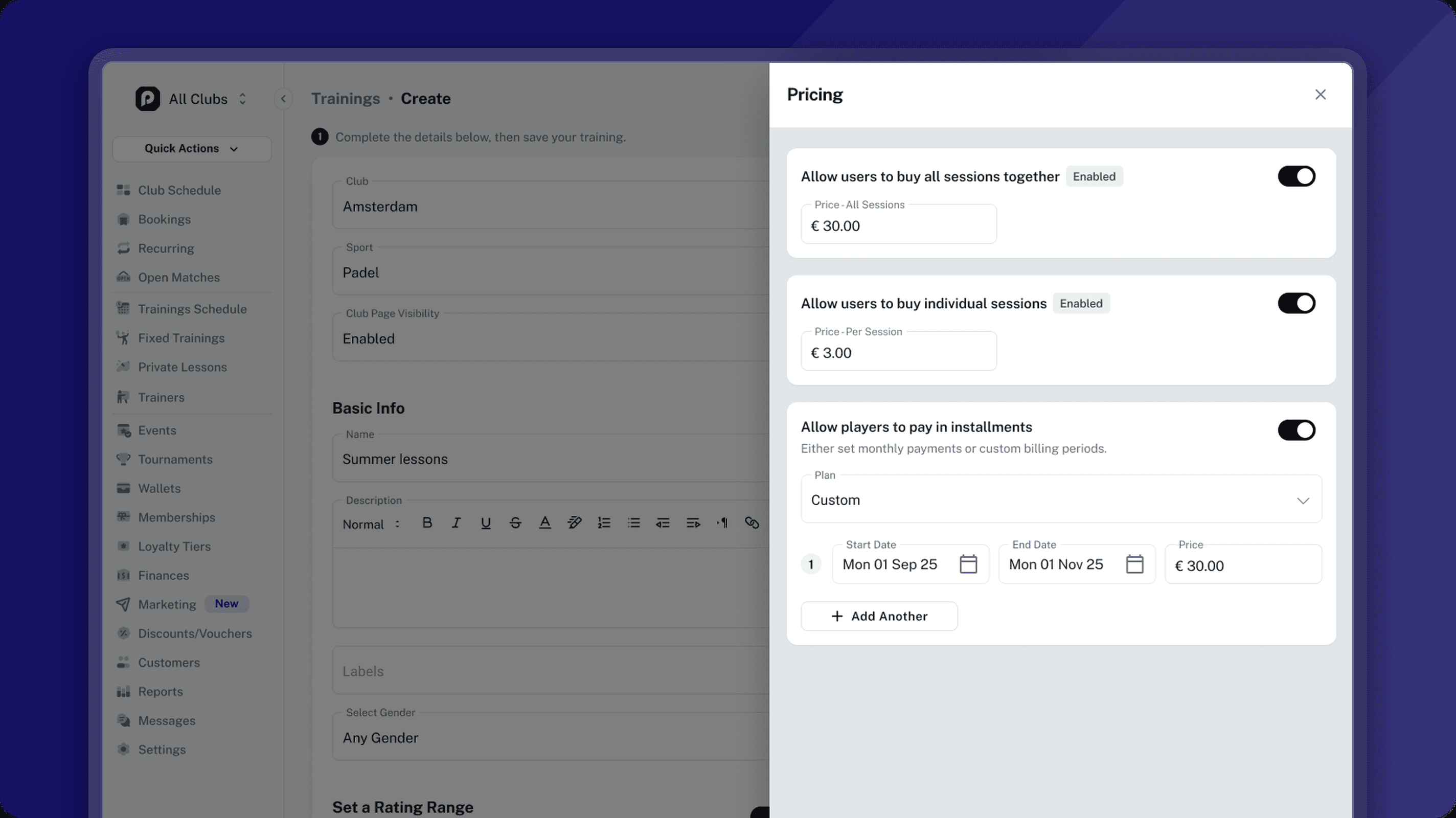
Flexible Billing – Offer payment per session, a full-programme price, monthly payments, or custom billing periods.
Per-Session Trainers – Assign a trainer to a full batch, then switch individual sessions whenever the schedule calls for it.
Registration Automation – Control opening and closing times, waiting lists, guests, minimum participation, cancellations, and refunds.
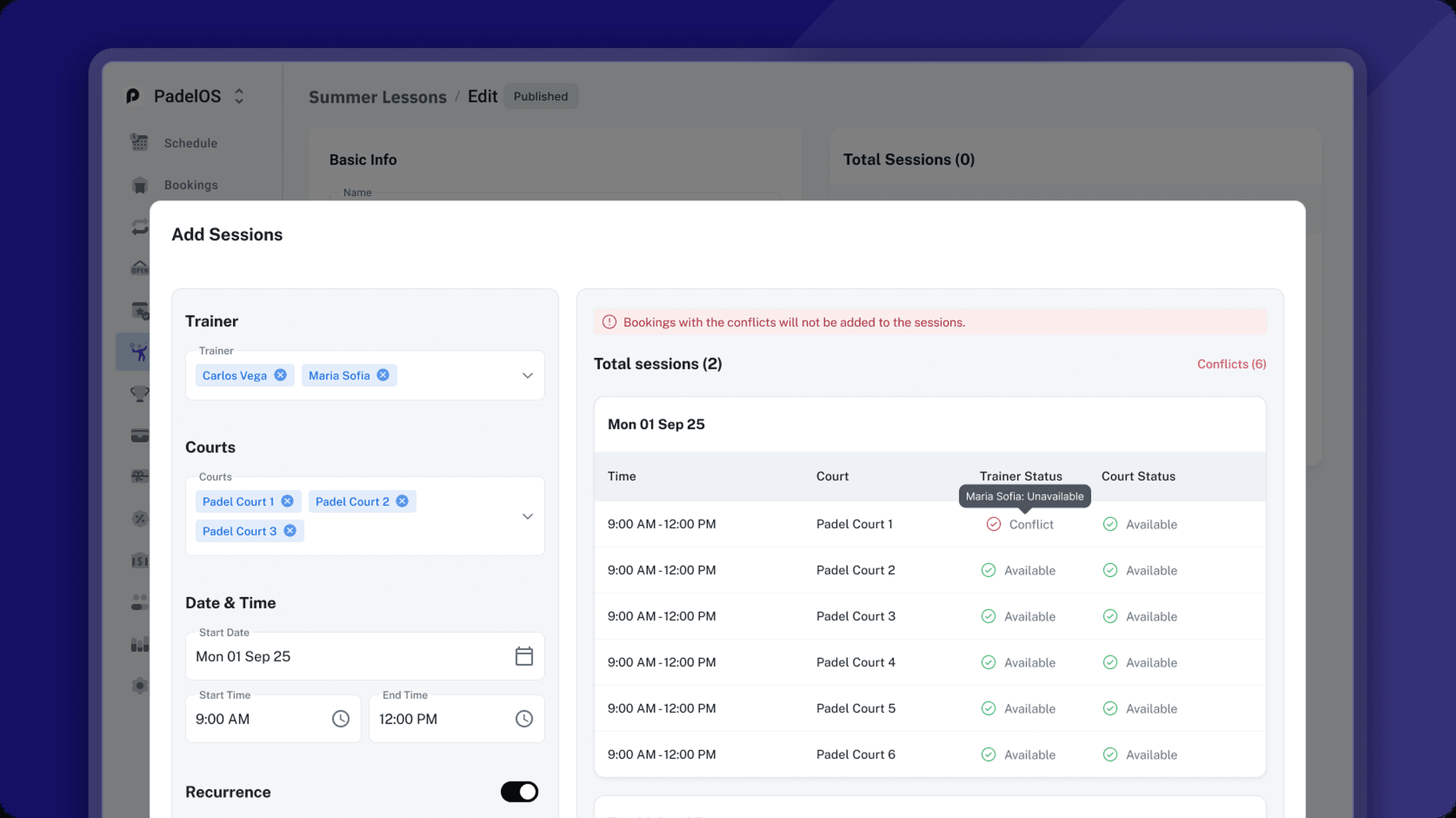
Conflict Detection – Check trainer and court availability up front, and resolve any clashes before the training goes live.
Set the club, sport, programme details, dates, registration type, and pricing all in one place. Save it, and your training is ready to take shape. Nothing goes live until you publish, so you have all the time you need to build the schedule and get every detail right.

Add sessions in batches using a trainer, court, date range, and repeating pattern, and every session is generated for you in one pass. Need a different trainer or court partway through? Add another batch with its own schedule and it all stays inside the same training, with your programme dates updating automatically to match the first and last session.
Charge per session or for the full programme, whichever suits the way you run it. For longer courses, monthly payments and custom billing periods let you spread the cost across the schedule, making premium programmes far easier for players to say yes to.
Set one or more trainers for an entire batch in a single step, then change any individual session when the programme calls for a different pairing. The rest of the batch stays exactly as you left it.

Set when registration opens and closes, whether players can bring guests, and how waiting lists and participant visibility work. When registration closes, PadelOS checks the minimum participant count for you. If it isn’t reached, the training is cancelled and every paid player is refunded automatically. Once your training is live, the Players and Chat tabs keep every participant and every conversation in one place.
