v3.0
Introducing Corporate Accounts & Wallets
Manage corporate clients in PadelOS — create company accounts, add employees, set spending limits, and control payments with a corporate wallet.
Corporate Accounts & Wallets in PadelOS
PadelOS allows you to manage corporate clients by creating corporate accounts, adding employees, and controlling how they pay and play using a corporate wallet.
1. Create a Corporate Account
Go to Customers → Corporates and create a new corporate account. Add the company details, upload a logo, and apply basic branding.
Once created, you can add employees:
Add employees individually or in bulk (copy-paste emails)
Assign roles such as employee or manager
2. Enable the Corporate Wallet
After setting up the corporate account, enable the Corporate Wallet.
This allows you to:
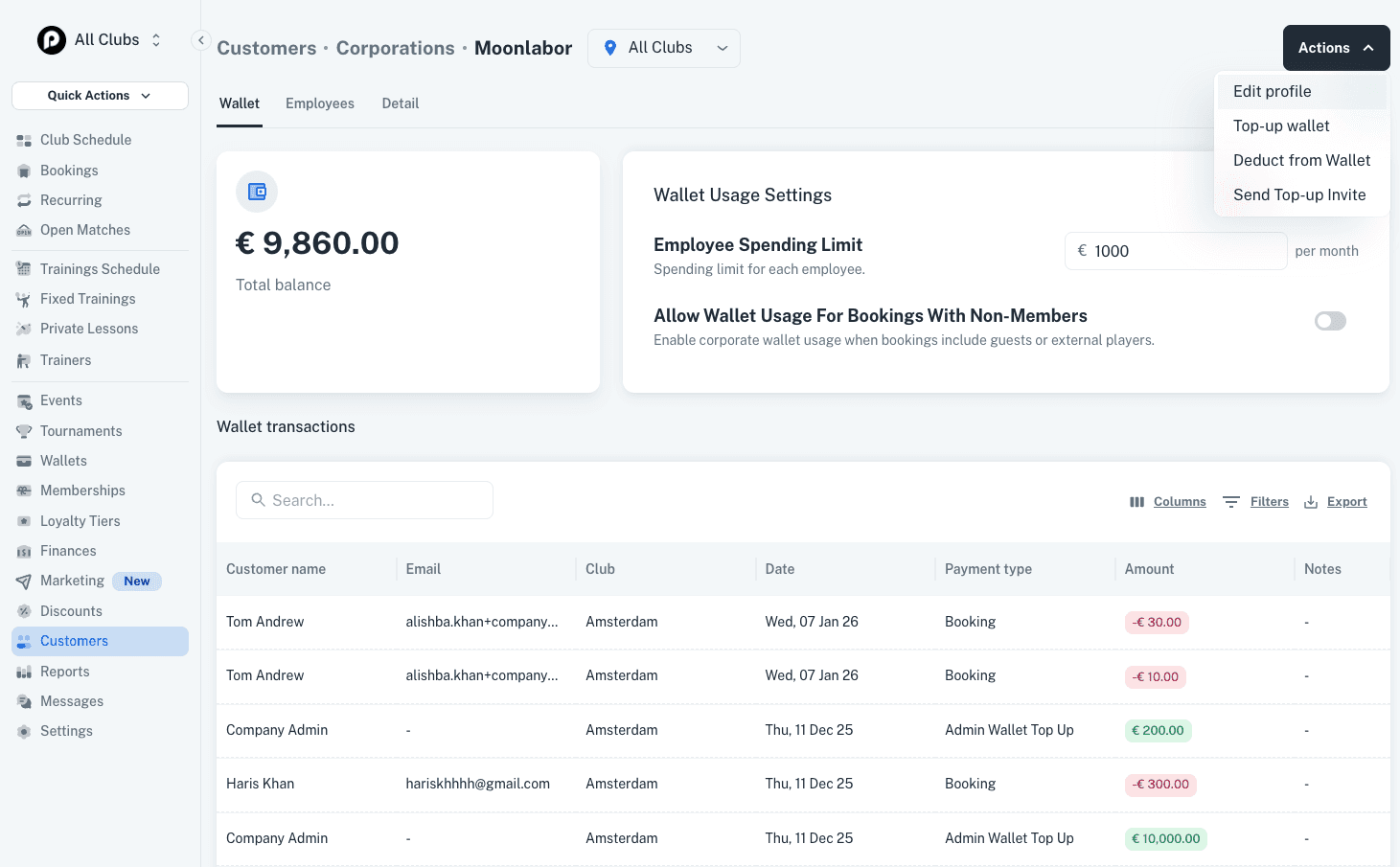
Top up a balance for the company
Set a spending limit per employee (for example €100 per month)
The wallet balance is used when employees make bookings.
3. Configure Usage Rules
You can define how the corporate wallet can be used:
Restrict usage to matches with only corporate employees
Or allow employees to play with non-employees
You can also set conditions such as requiring a minimum number of corporate players in a booking.
4. How Corporates Top Up the Wallet
Corporate wallets can be topped up in two ways:
A corporate manager can log in and add funds directly
An admin can generate and share a top-up link from the Actions button on the corporate profile page
This link can be shared with anyone in the company to add funds.
5. How Players Use the Corporate Wallet
When an employee makes a booking and has access to a corporate wallet:
They are asked which wallet to use (personal or corporate)
If they choose corporate, the amount is deducted from the corporate wallet
All usage follows the limits and rules set for that corporate account.