v3.1
Introducing Support and Chat
PadelOS now includes built-in messaging: direct club contact, PadelGPT player assistant, open match chat, and auto group chats for every activity.
We’re introducing Support and Chat, a centralized communication layer across PadelOS. This feature brings all player and admin interactions into a single, structured messaging system, making communication faster, more contextual, and easier to manage.
At its core, Support and Chat connects conversations directly to the activities happening in your club, whether that is a booking, a training session, a tournament, or an open match.
Direct Messaging with Clubs
Players can now contact their club directly through the platform. From the Messages section, players will see the club listed as a contact and can start a conversation instantly. This creates a dedicated thread for support, booking questions, or general communication without needing external tools.
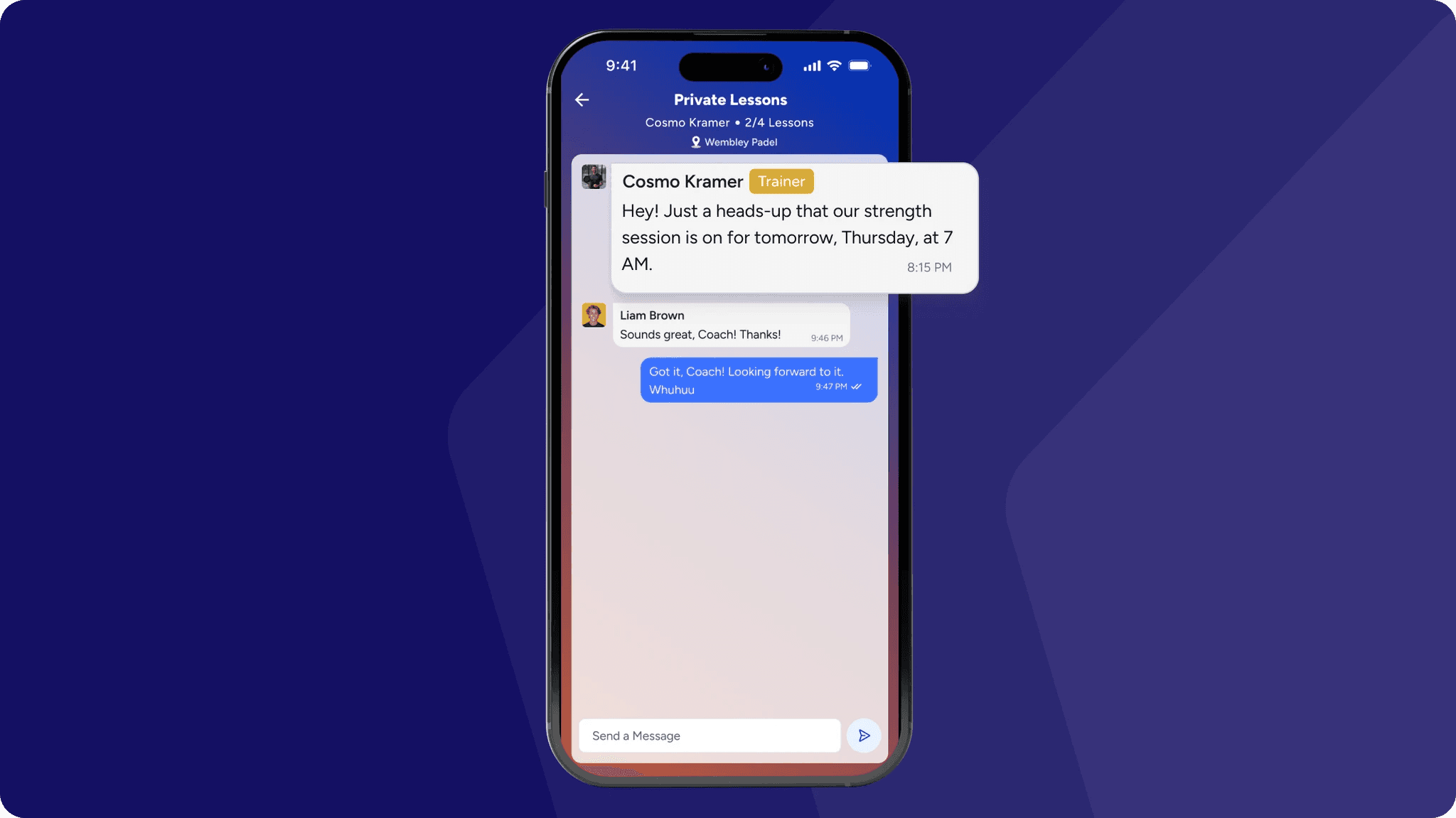
On the admin side, messages are sent by the individual admin who is logged in. This means responses are not anonymous or generic. On the player side, each message shows the name and profile picture of the admin who replied, making the interaction more personal and transparent.
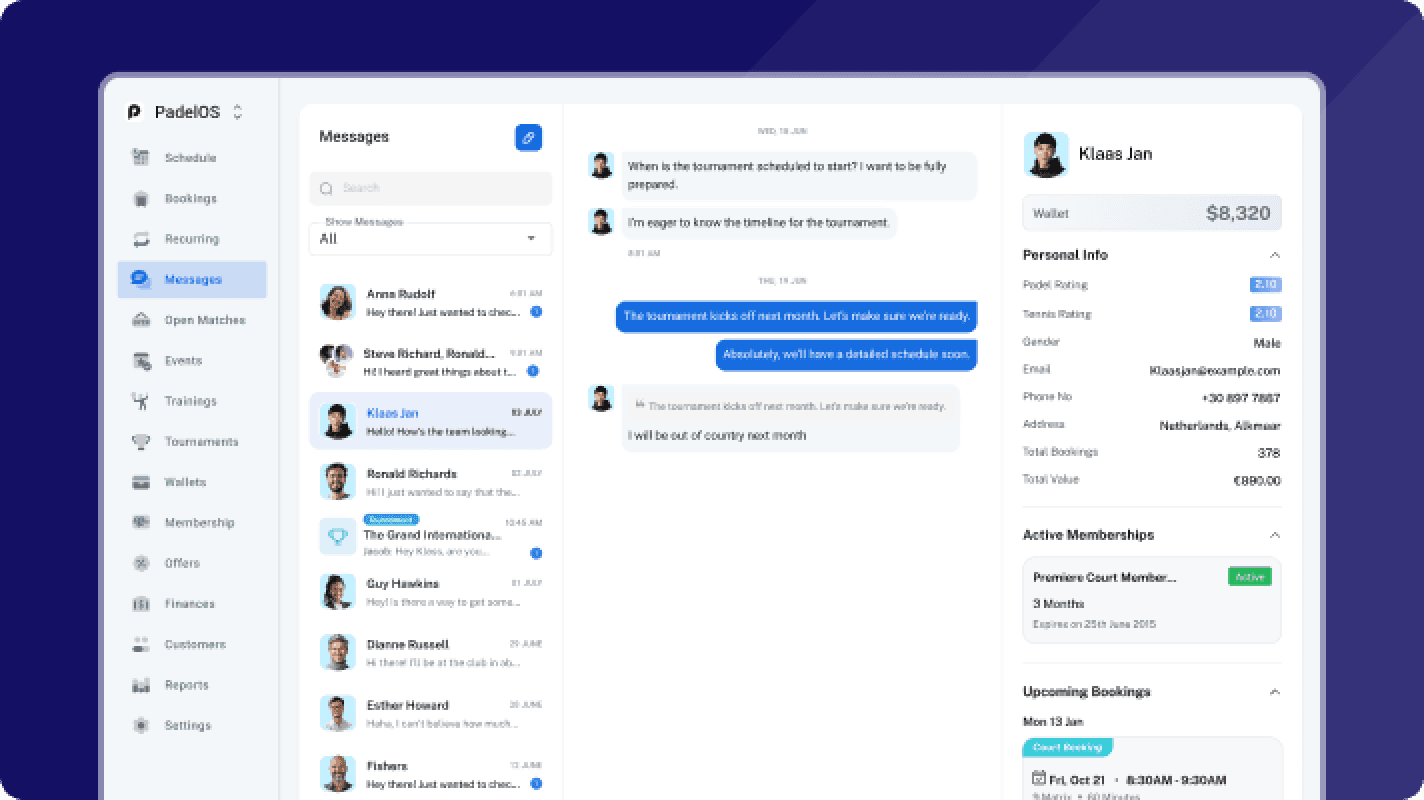
All incoming messages are visible in a centralized inbox for admins, making it easy to track, respond, and manage communication across the club.
PadelGPT Player Assistant
PadelGPT is an in app assistant that helps players get instant answers to their questions. Players can ask about bookings, membership details, club rules, and anything related to their activity on the platform. Instead of reaching out to the club for every small query, they can get immediate responses, reducing support load while improving the player experience.
Open Match Communication
For open matches, players can communicate directly with other participants through a dedicated chat. This allows them to coordinate details, confirm participation, and connect before the game, removing the need for external coordination.
Activity Based Group Chats
Every training, tournament, and event automatically generates its own group chat. The group is created when the activity is created, all participants are added automatically, and the chat remains active for the duration of the activity. Once the activity ends, the group is archived. This keeps communication relevant while maintaining a clean and organized messaging environment.
Admin Messaging Overview
Administrators have access to a unified messaging panel that includes direct messages from players, group chats across trainings, tournaments, and events, and conversations within open matches. This gives full visibility and makes it easier to manage communication without losing context.
Learn more > https://support.padelos.co/en/articles/15805380-chat-communication-hub