v2.7
Web 2.7
Bug Fixes & New Features
Introducing Labels:
Admins can now add labels to Court Bookings, Recurring Bookings, Open Matches, Events, Trainings, Tournaments, and Memberships.
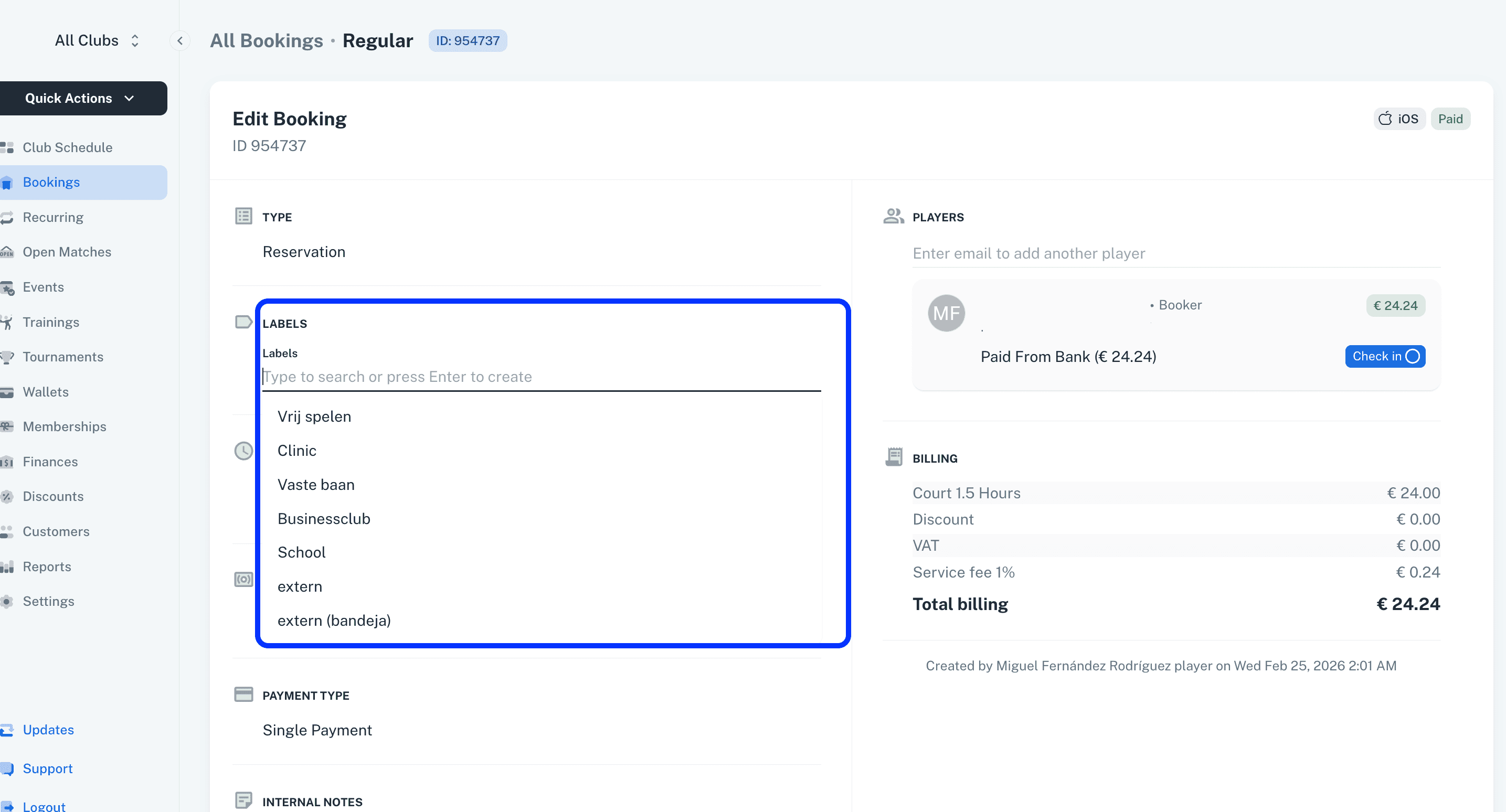
These labels will later be used in reporting and data listings within the respective modules.
Private Open Match:
Players can now create private open matches.
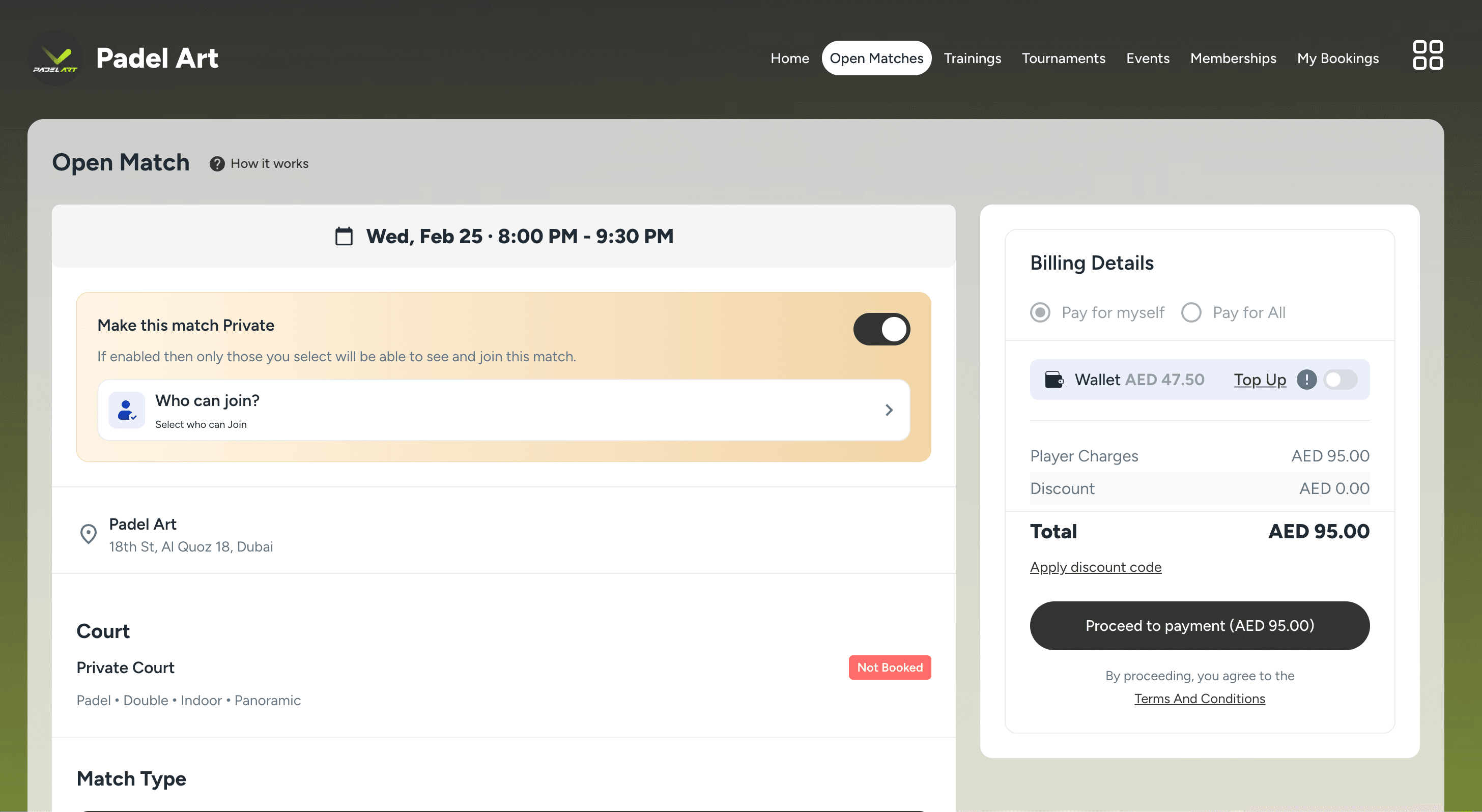
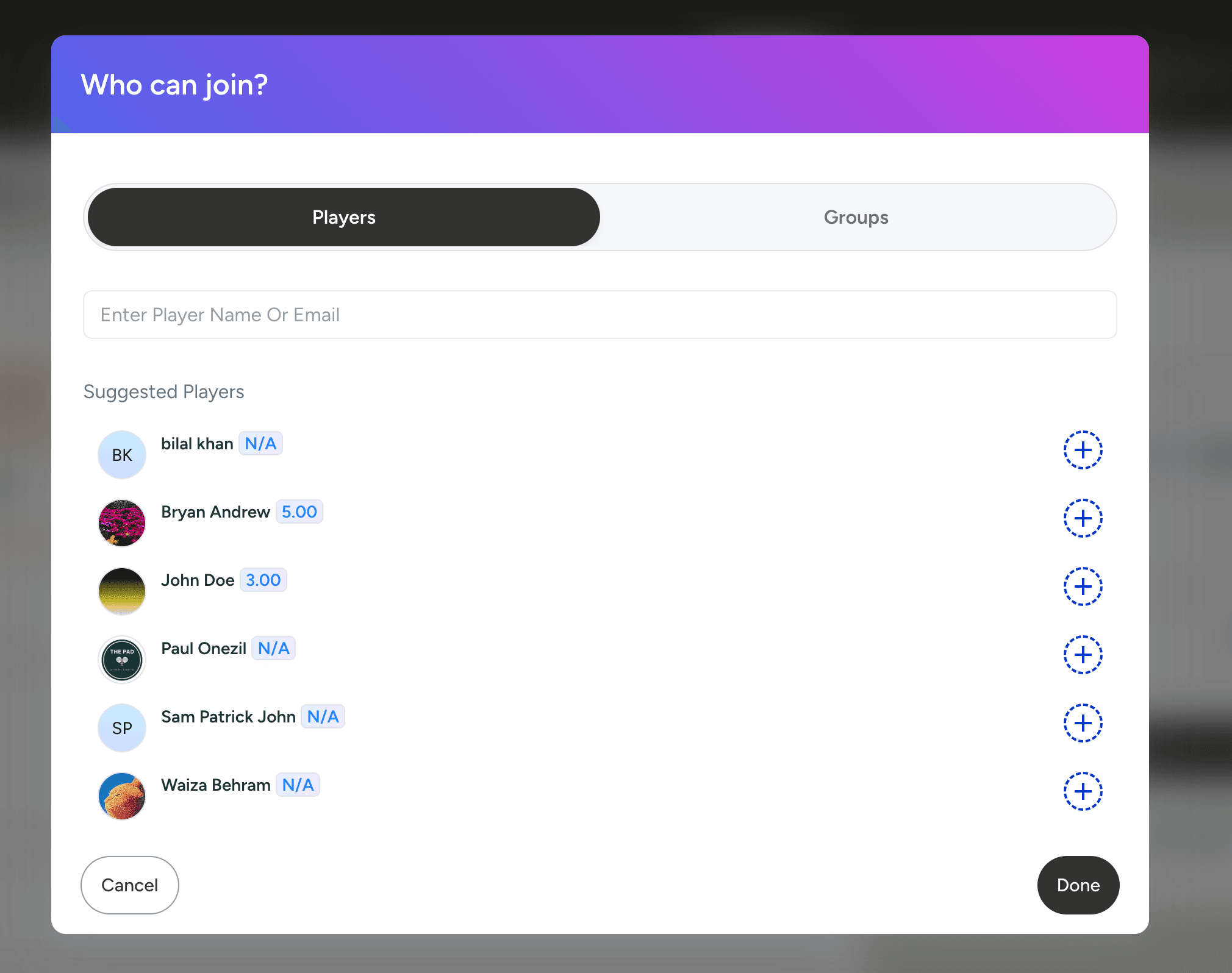
The booker can add individual players to the private match access list.
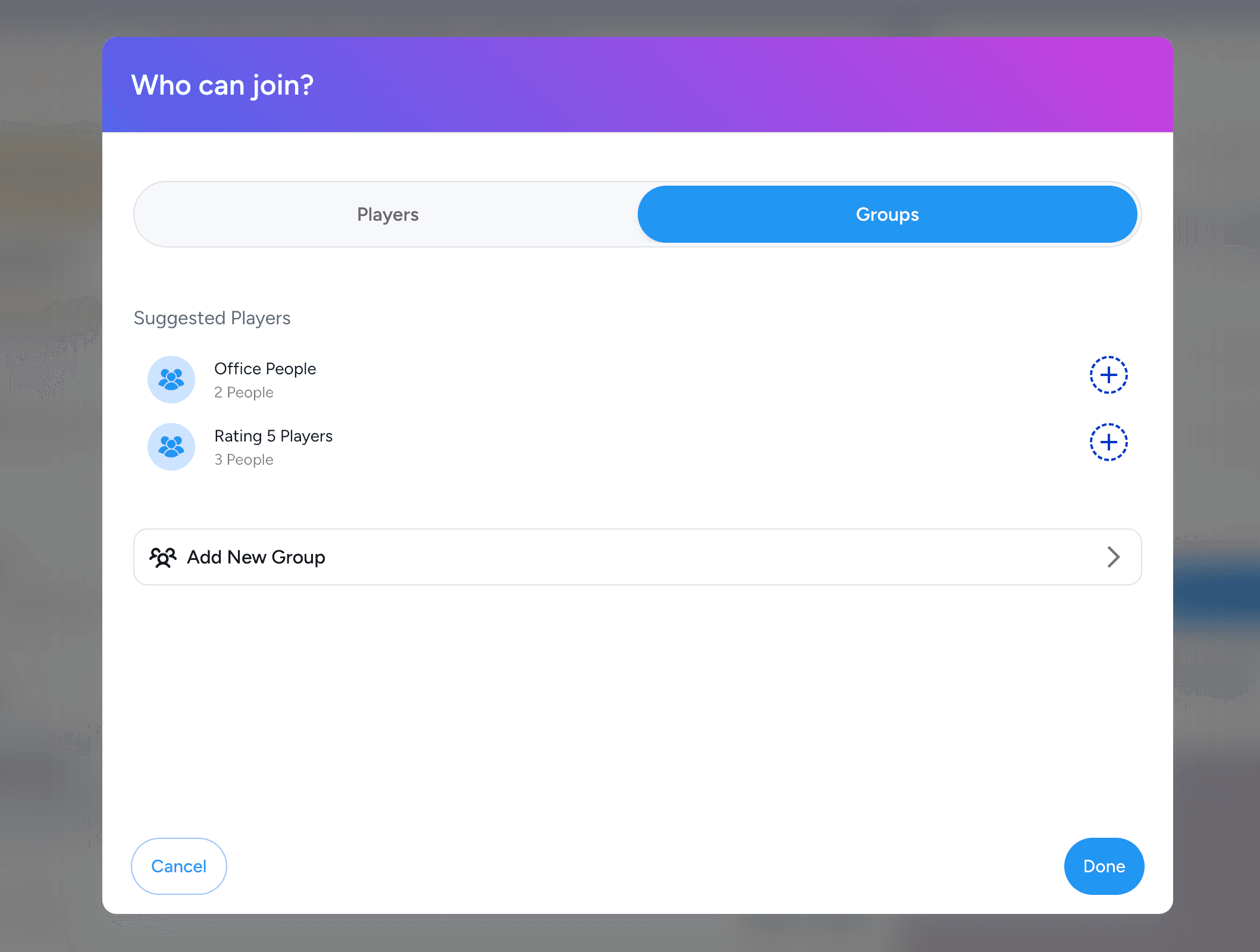
Players can also create custom groups of players in the groups section in settings and add them to the private match access list.
Phone verification:
Phone verification via WhatsApp has been added to verify user accounts during registration.
This ensures that only genuine players are registered with the club and helps prevent fake or duplicate accounts.
Ratings filter in Open Matches:
A rating filter has been added to the Open Matches listing.
Players can enter their desired rating and view only the matches that match the selected rating criteria.
Waiting list in Tournaments:
Waiting list players are now displayed within tournaments.
Admins can configure in the tournament details whether the waiting list should be visible or hidden.
Email Notifications Settings for Admins:
A Notification Settings tab has been added to the Admin Details view.
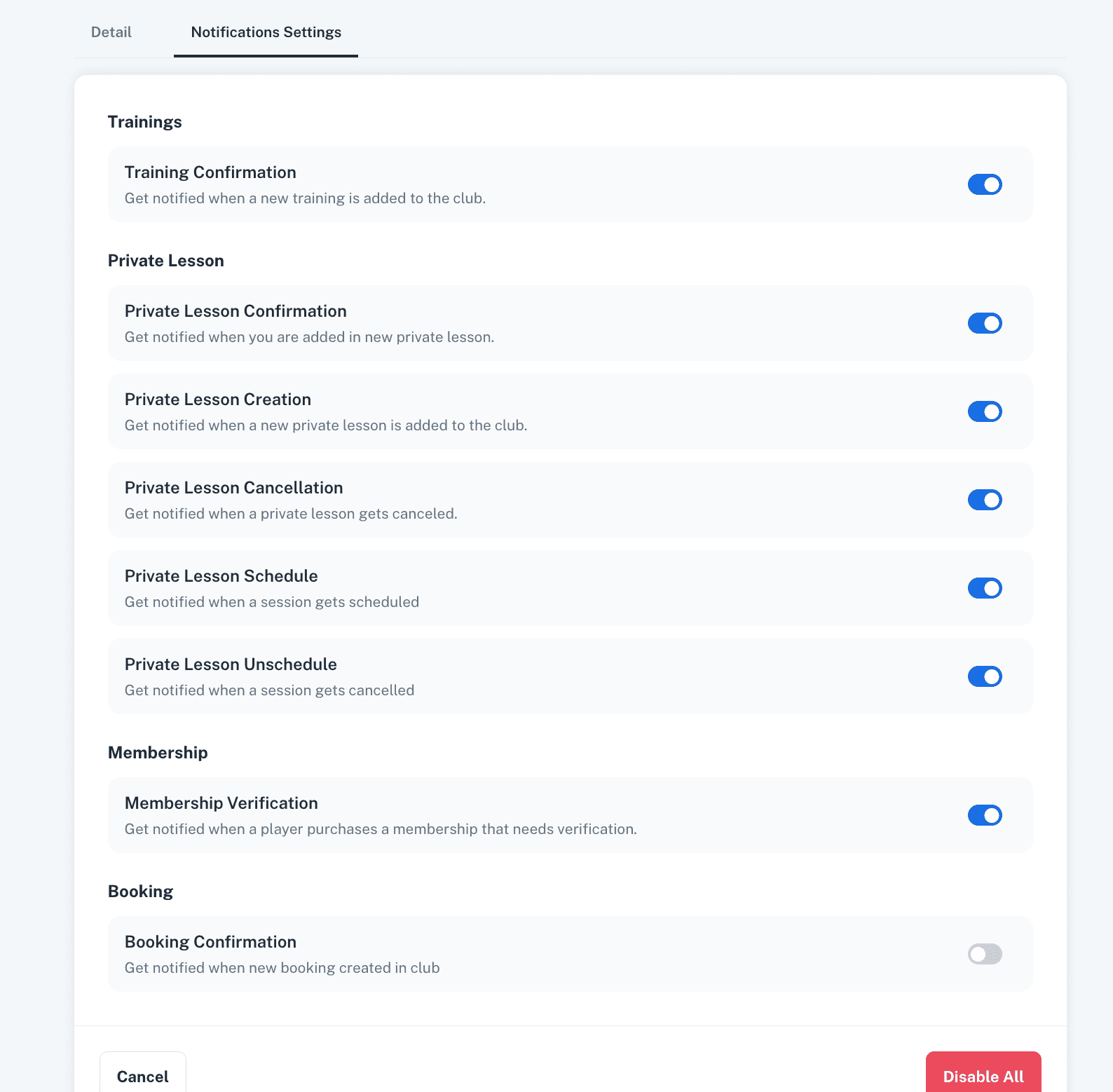
Specific email notifications can now be enabled or disabled individually for each admin.
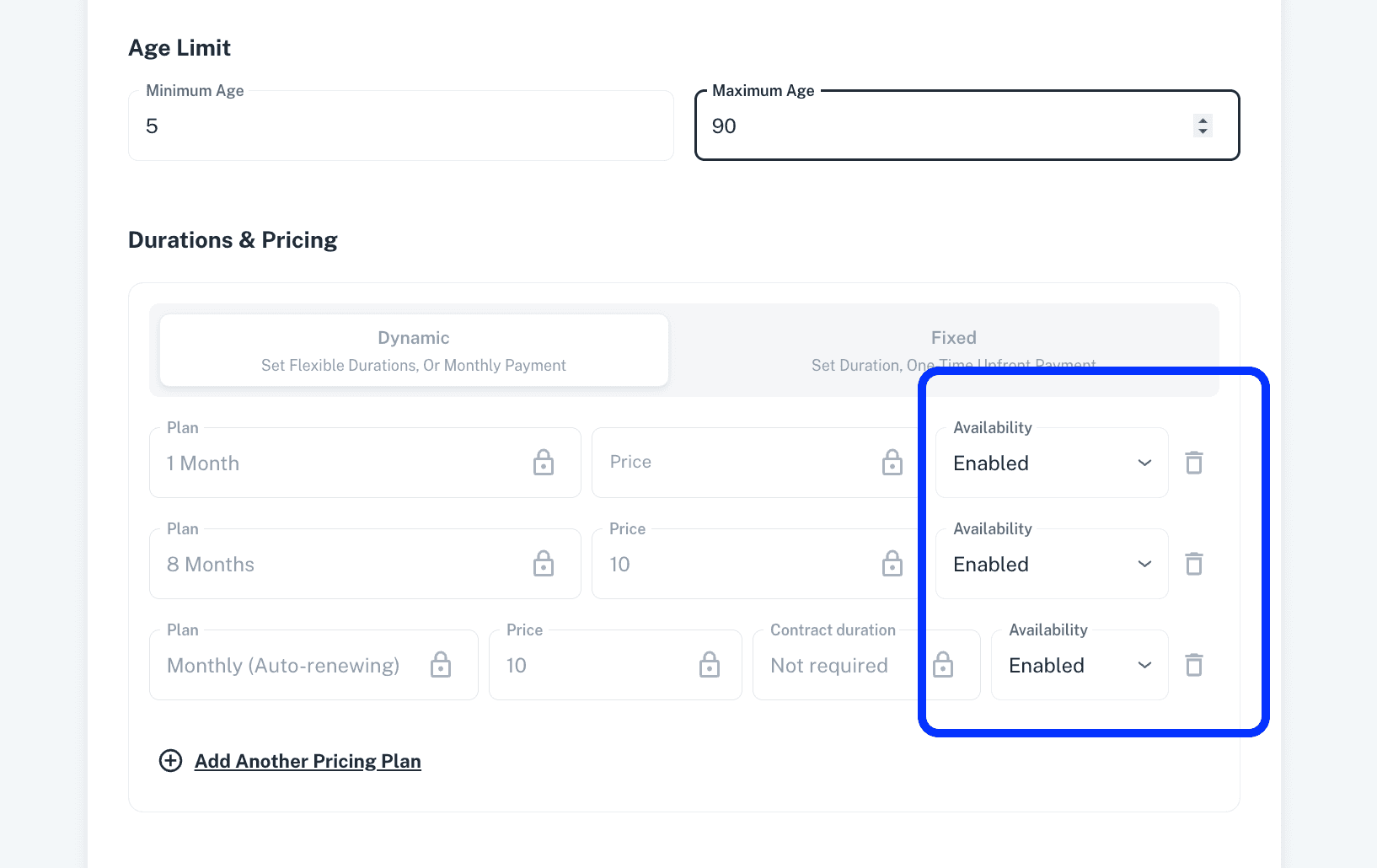
Memberships visibility:
A club page visibility feature has been added to Memberships, allowing admins to show or hide public memberships on the player side.
Each pricing plan within a membership can now be enabled or disabled at any time to control its visibility on the player side.
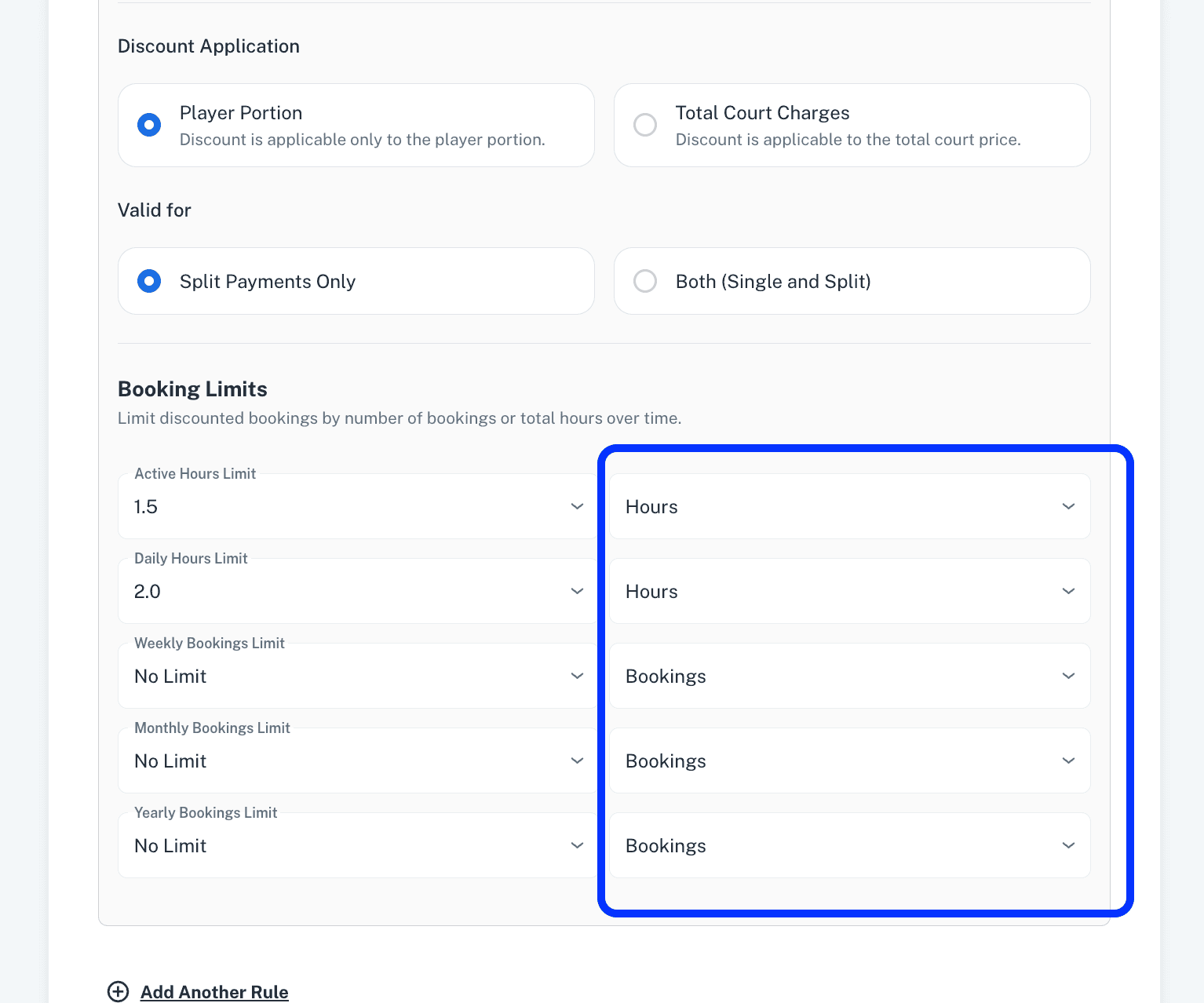
Hours limits in Membership Bookings Discounts:
Active, Daily, Weekly, Monthly, and Yearly limits can now also be configured based on the number of hours.
In addition to limits on the number of bookings, admins can now apply discount limits based on the number of booking hours.
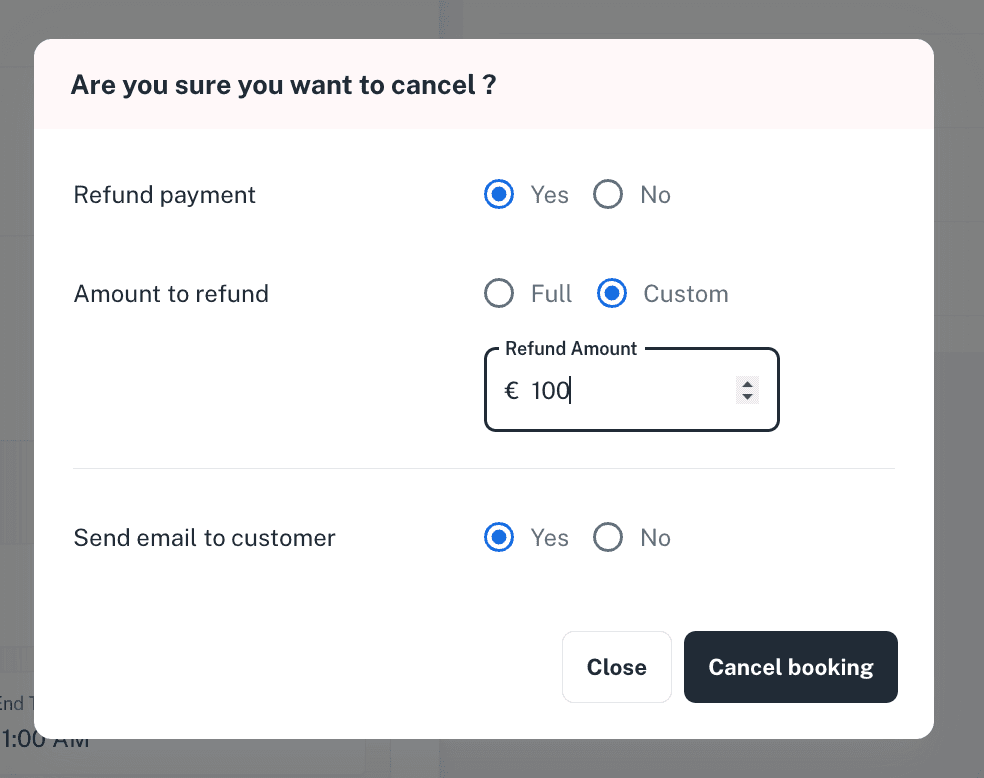
Custom refund on recurring cancellation:
Admins can now define a custom refund amount when cancelling a recurring booking.
Edit bookings in Events, Trainings, Tournaments:
Single bookings within an Event, Training, or Tournament can now be updated to a different date, time and court.
This allows admins to modify individual reservations without affecting the entire activity, providing greater flexibility when handling reschedules or court changes.
Registration deadline in events:
A registration deadline has now been added to Events.
When the registration deadline is enabled, players will not be able to register once the deadline has passed.
Tournament type for king of court:
A new tournament type, “King of Court,” has been added to Tournaments.
In this format, predefined match configuration has been removed, allowing admins to conduct the tournament freely according to their own structure and on-court format.
Open match email/push notifications:
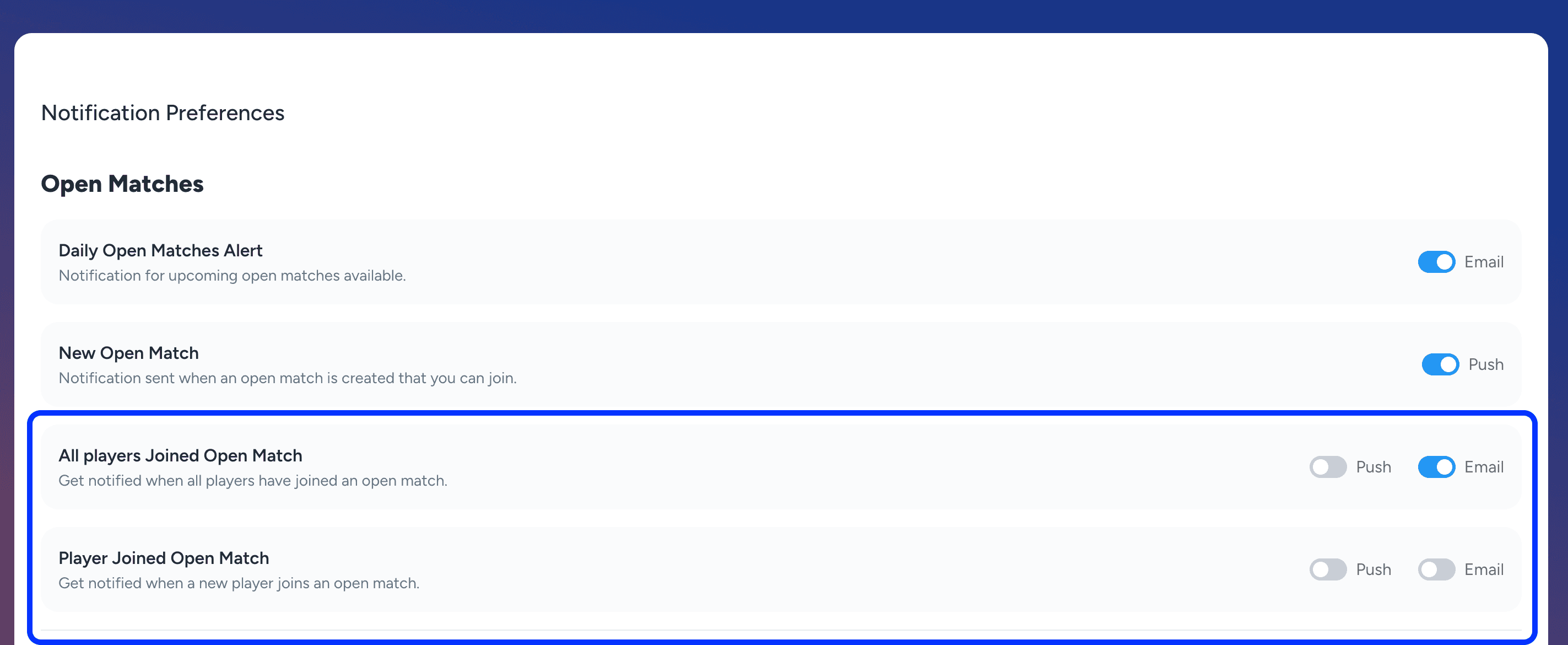
New email and push notifications have been added for Open Matches.
“A player has joined the open match” and “All players have joined the open match.”
Players can enable or disable these notifications from their Notification Preferences in settings.
Trainings and Private Lessons:
A Payment Status column has been added to the Private Lessons records view.
A Trainer Weekly Schedule has been added within the Trainer detail view.
An auto-cancel training policy has been introduced to automatically cancel trainings if the minimum number of participants is not reached before the registration deadline.
A “Notify Customer” option has been added when an admin schedules, cancels, or reschedules a session of a private lesson.
My Bookings:
An Activity Type Filter has been added to the My Bookings section on the player side.
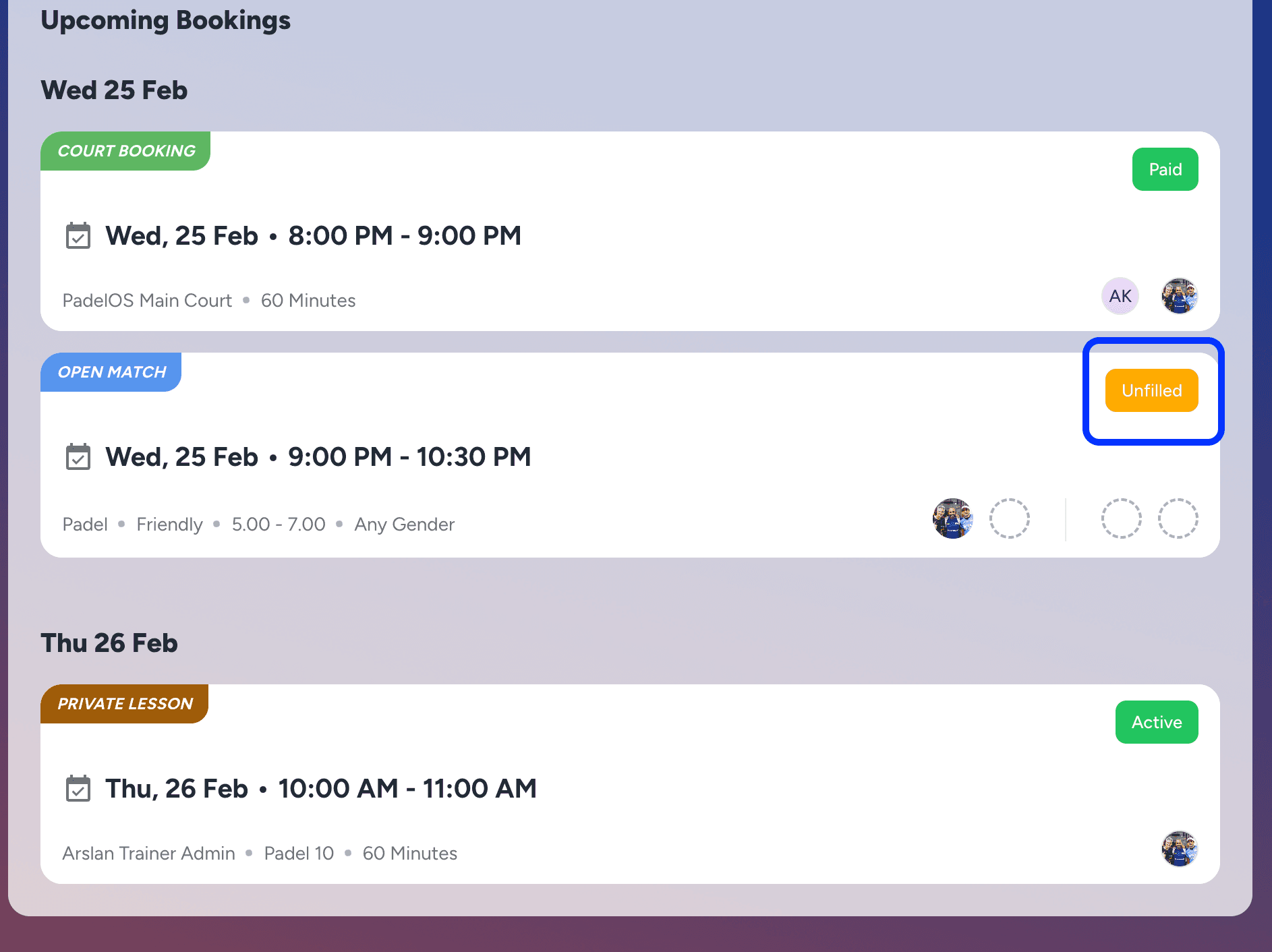
An Unfilled Status indicator has been added for Open Matches in My Bookings, highlighting when all slots in a match have not yet been filled.
Other Updates:
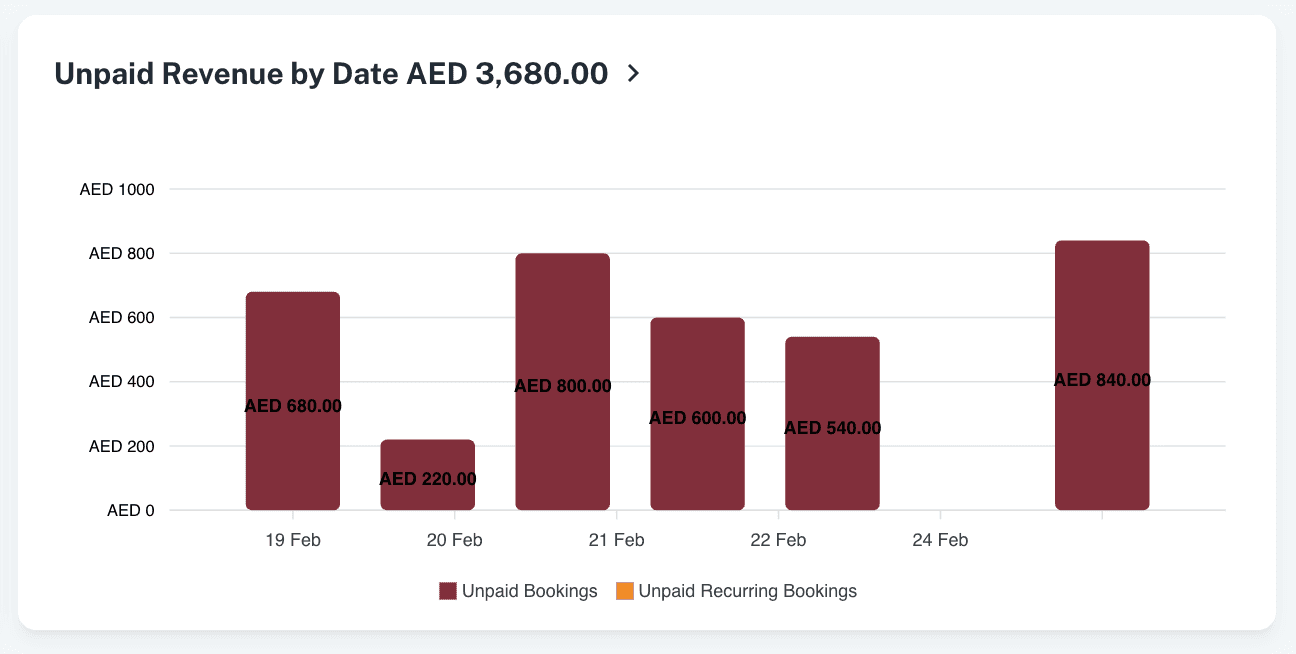
An Unpaid Revenue Per Day report has been added to the Reports section, which gives the daily breakdown of unpaid revenue.
A Score Pending status for Open Matches has been added in the All Activities section, enabling players to identify matches where the score still needs to be added.
Minor enhancements and bug fixes have been implemented to improve overall platform performance, stability, and responsiveness.