v3.3.0
Web 3.3.0
Bulk edit of activities, membership edits and better refund controls for all activities
Update membership start and expiry dates:
Admins have the ability to manually set the membership start and end dates for any player.
This allows admins to extend, reduce, or shift the durations of memberships as needed, providing greater flexibility in managing player access periods.
Bulk Edit Activities:
Admins can now select and edit multiple activities, including Events, Trainings, and Tournaments, all at once in bulk. This new feature significantly streamlines the management process by allowing simultaneous updates to several activities, saving time and effort.
Learn more > https://support.padelos.co/en/articles/16000388-trainings-single-session-vs-multi-session-vs-bulk-creation
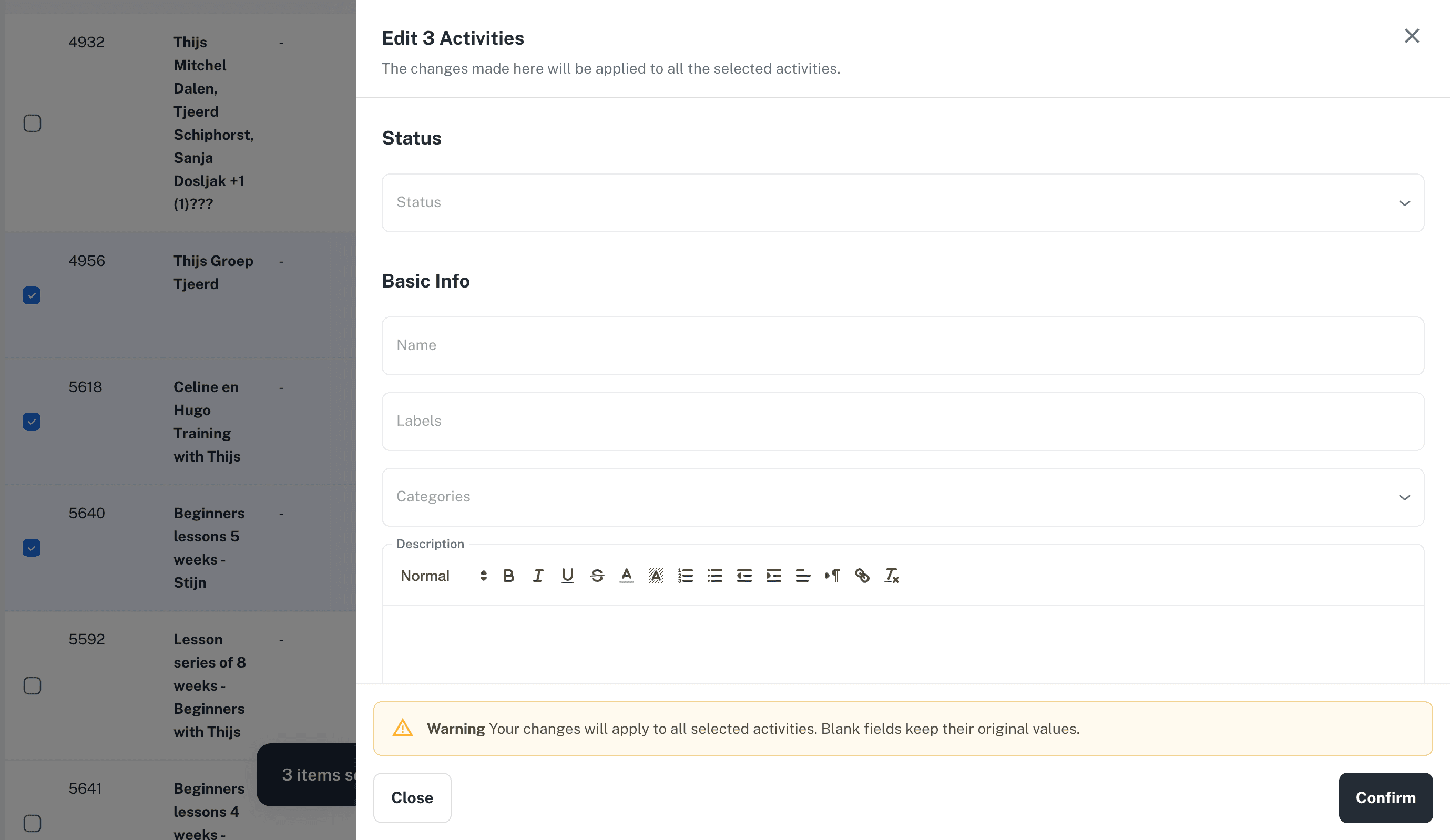
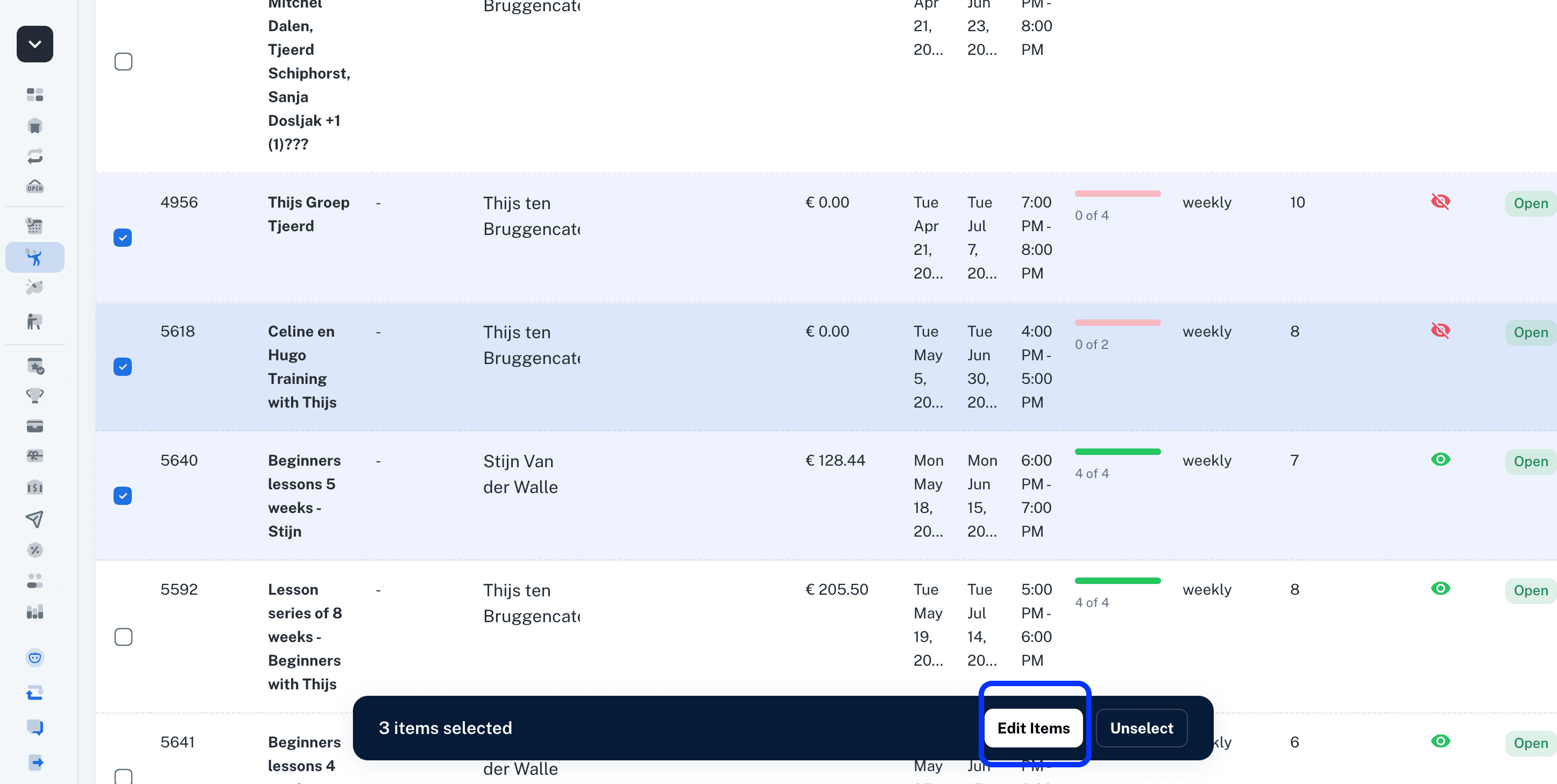
To use this feature, simply navigate to any activity list, such as Fixed Trainings. From there, you can select multiple trainings at once and then click on the Edit Items button. This will open an edit form where you can enter values that will be applied uniformly to all the selected items.
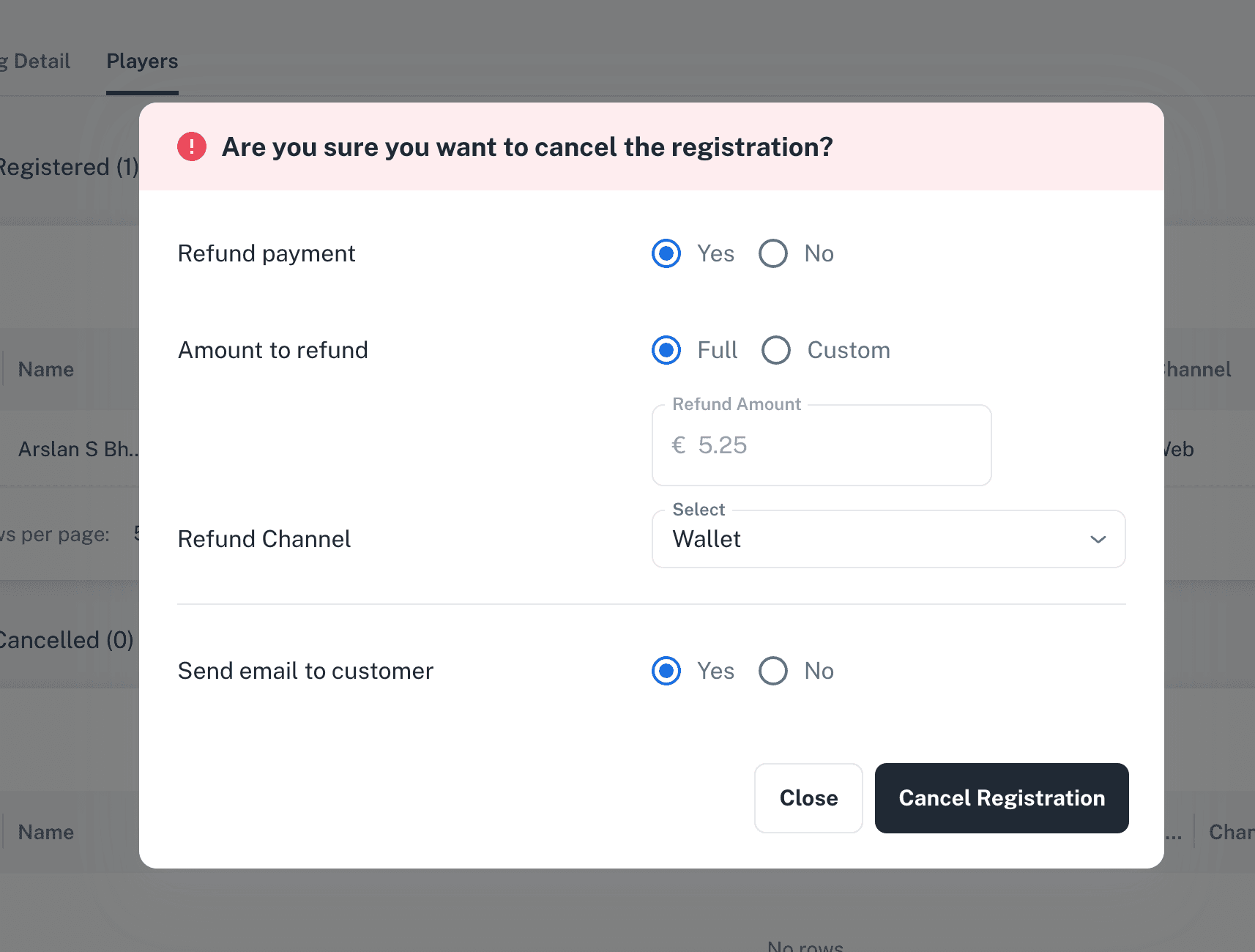
Refund payment controls on cancellations of activities and private lessons:
When cancelling an Event, Training, Tournament, or Private lesson registration, administrators have the option to decide whether to issue a refund to the participant. They can also choose the method of refund payment, selecting either a Wallet refund or a Bank refund.
In addition to the standard refund options, administrators are able to select a custom refund option. This allows them to specify a particular refund amount, providing flexibility to accommodate special cases or partial refunds as needed.
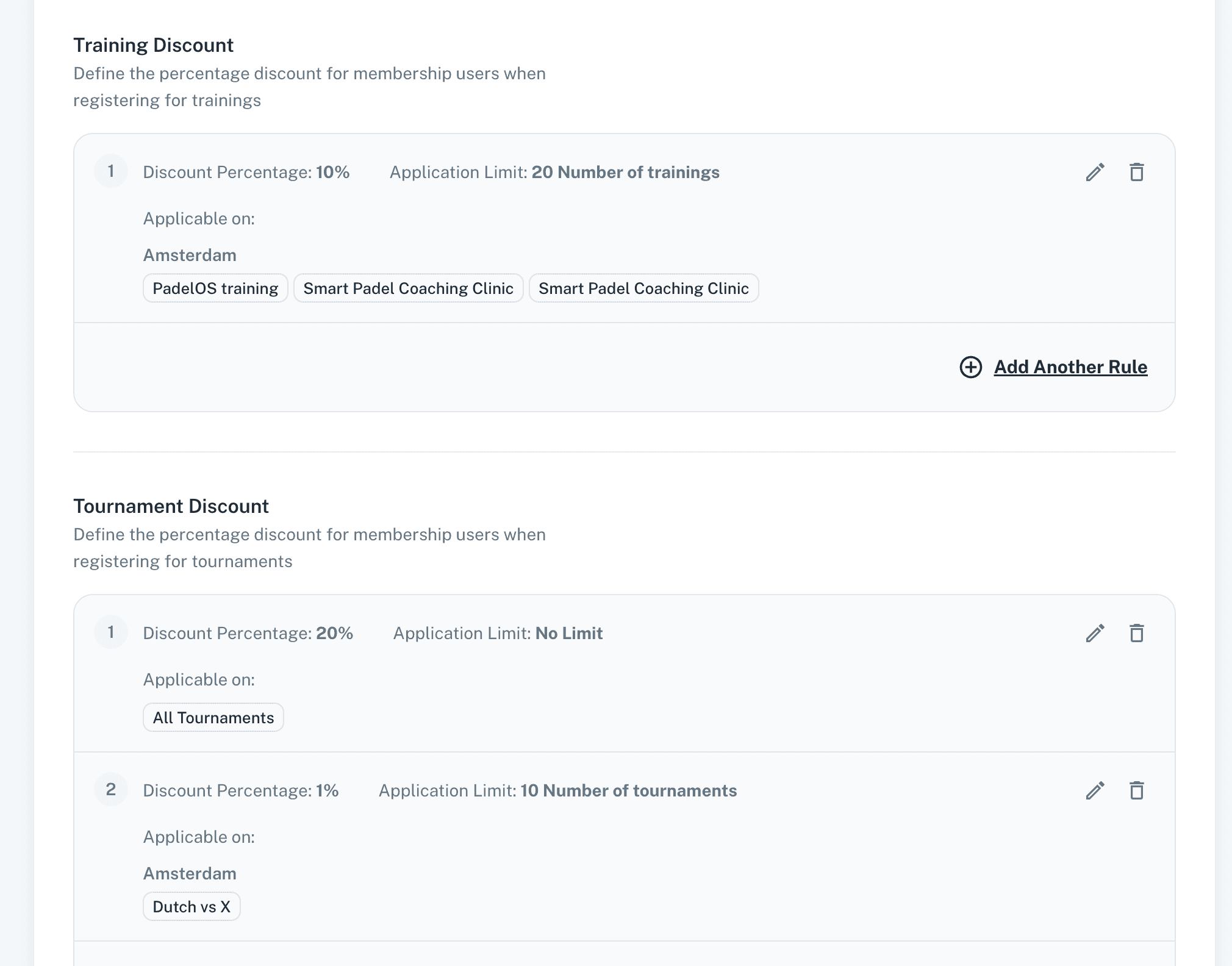
Limits on activities discounts in memberships:
Admins have the capability to limit membership discounts specifically on events, trainings, and tournaments by selecting particular activities to which these discounts will apply.
These discounts can also be restricted based on the number of times they are used, allowing admins to set limits by usage count to control discount application.
Furthermore, administrators have the ability to assign different discount rates to members depending on the specific activities they participate in. This feature enables tailored discount offerings for various events, trainings, or tournaments, allowing for more personalised and flexible pricing structures that better meet the needs of members and encourage participation across different types of activities.
Extend/Renew Membership before Expiry:
Players have the option to extend or purchase a new membership before their current one expires. This proactive approach allows members to maintain continuous access to benefits without interruption.
As a result, players no longer need to wait for their current membership to expire before buying another.
Other Updates:
Players now have the ability to update gender restrictions and the visibility settings of existing open matches. This means they can control who can see and join their matches based on these criteria. Only the booker or the owner of the match is permitted to perform these updates.
Activity listings, which include Events, Trainings, and Tournaments, now display prices that are adjusted according to each player's specific membership discount. This enhancement ensures that players see the most accurate pricing based on their membership status. Additionally, court prices shown in bookings also reflect the player's membership discount, providing consistent and personalised pricing information throughout the booking process.
Minor enhancements and bug fixes improve platform performance, stability, and responsiveness.